Good Quality High Performance Screen Printing Machine for Glass

Customization: Available
After-sales Service: 12 Months
Warranty: 12 Months

Product Description

Basic Specifications
Model NO.:MTSP-10200
Species:Screen Printing Machine
Structure:Platen Press
Color & Page:Single-Colour Printing Press
Usage:Card, Label, Paper, Glass Printer
Automatic Grade:Semi-Automatic
Max Printing Area:1000*2000mm
Worktable Size:1100*2300mm
Max Mesh Frame:1400*2620mm
Substrate Height:0-30mm
Voltage/Power:380V/5.6kw
Origin:China
Product Description
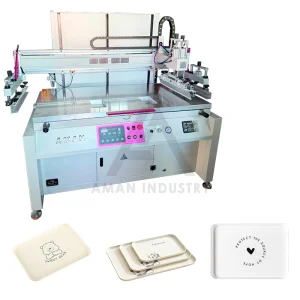
Model MTSP-10200
Color printing Single color printing
Printing face Flat face
Auto grade Semi-automatic Semi-automatic Semi-automatic
Max printing area 1000*2000mm
Worktable size 1100*2300mm
Max mesh frame 1400*2620mm
Substrate height 0-30mm
Printing pressure 0.6-0.8 kg/cm2
Voltage/power 380V/5.6KW
Appliance All flat materials such as paper, plastics, circuit board, ceramic, glass, non-woven fabric etc.
Detailed View & Components
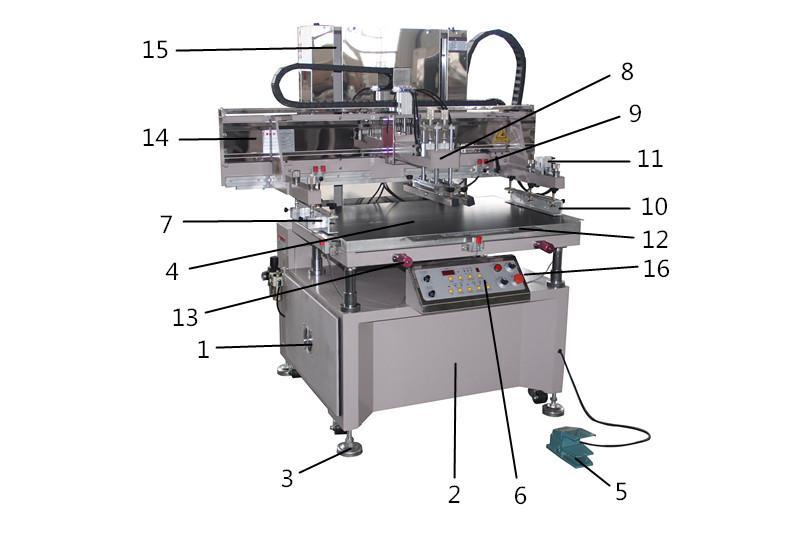
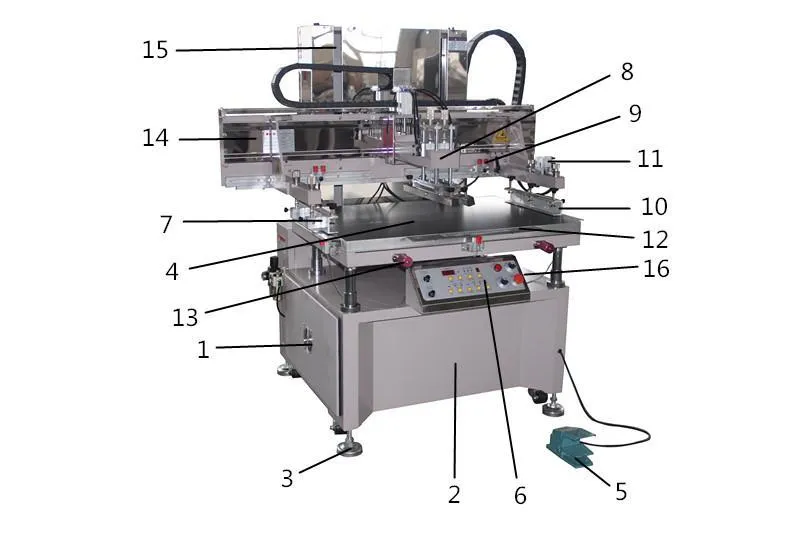
1. Cover hoardings
2. Rack base
3. Universal wheel and foot cup
4. Work platform and tray
5. Foot switch
6. Control Panel
7. Front screen plate clamp
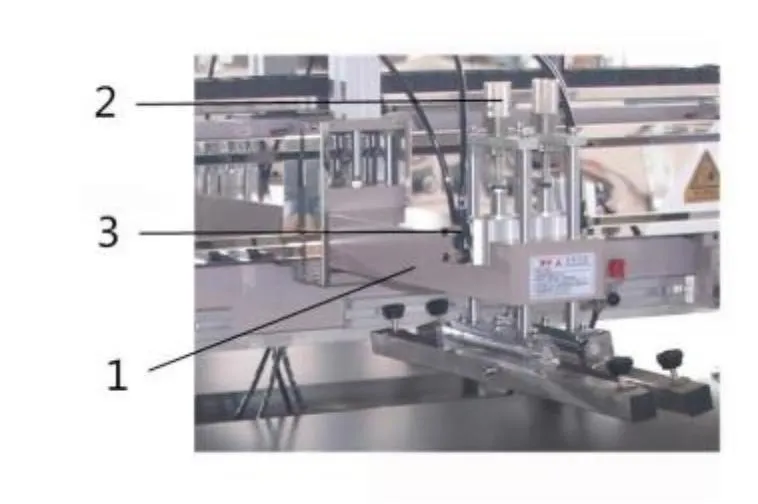
8. Squeegee adjustment system
9. Stroke adjustment
10. Back screen plate clamp
11. Off-grid installations
12. Safety Brake
13. Platform fine-tune handle
14. Head beam
15. Linear guide rail
16. Off-grid switch
Power & Gas Requirements

1. Power Supply: 380V Three-phase five-wire. Use air switch (30A+). Wiring: Red(L1), Blue(L2), Black(L3) for phases; Green(N) for zero; White(E) for grounding.

2. Gas Source: Air consumption is 0.03 m³/min. Requires ∮8 tube for external gas source connection.
Installation Notes
  • Inspect equipment for transport damage upon arrival.
  • Level the device using the four foot screws at the bottom.
  • Verify workshop power and gas supplies match specifications.
  • Connect external gas to the oil-water separator; set pressure to 0.6-0.8.
  • Ensure the fan rotates in the correct direction (forward). If blowing instead of sucking, exchange any two phase lines.
  • Lubricate all guides and moving parts with 30#-140# oil.
  • Perform step-by-step testing via the control panel.
Control Panel Functions
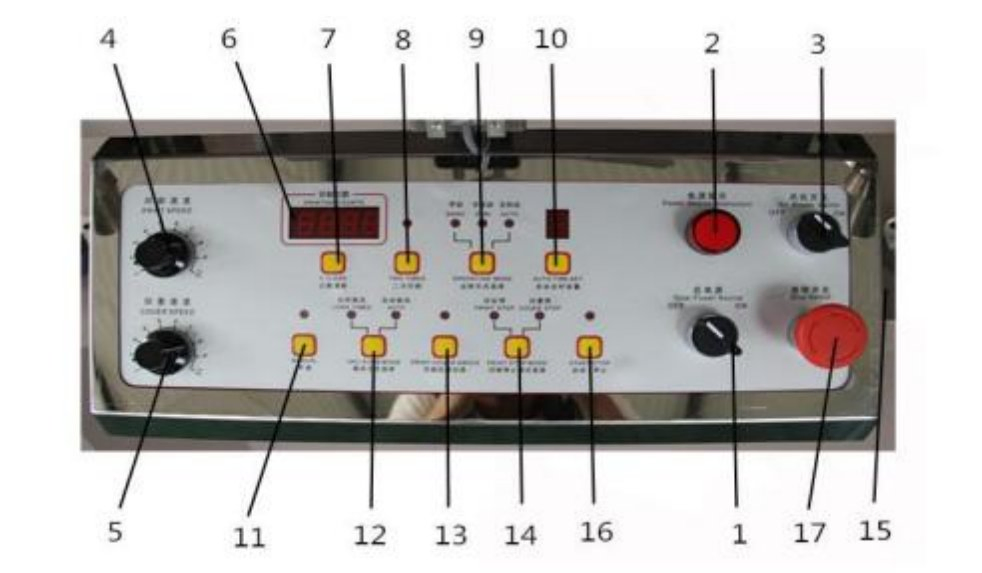
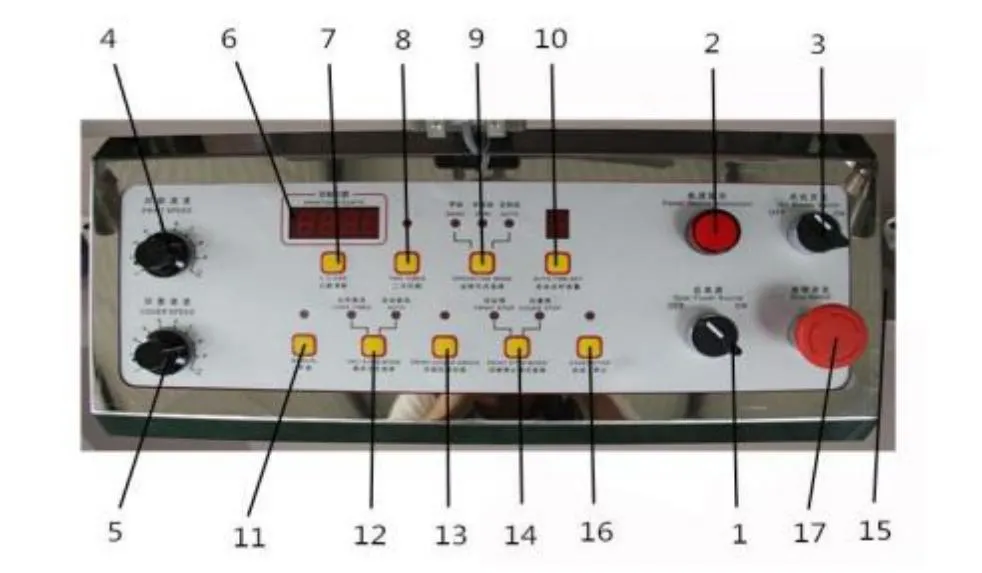
(1) Power Source: Main power control.
(2) Indicator: Displays energized state.
(3) Fan Switch: Starts/stops turbine fan.
(4) Print Speed: Clockwise is faster.
(5) Ink Recovery Speed: Adjusts reclaiming blade speed.
(6) Counter: Displays total prints completed.
(8) Two-time Print: For products requiring double hits.
(9) Operation Mode: Manual / Semi-Auto / Auto.
(10) Auto Time Set: Controls interval between auto prints.
(12) VAC-SORB: Long-time or Auto suction modes.
(17) Emergency Stop: Immediate safety shutdown.
Screen Plate & Pressure Adjustment

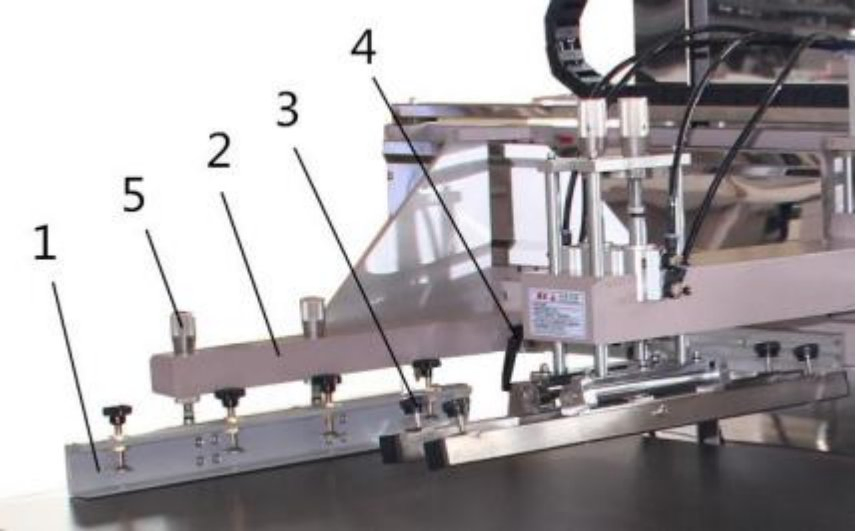
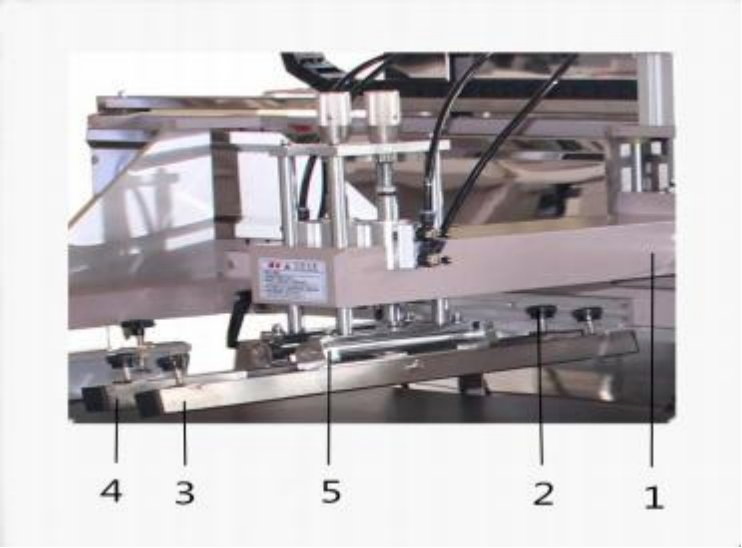
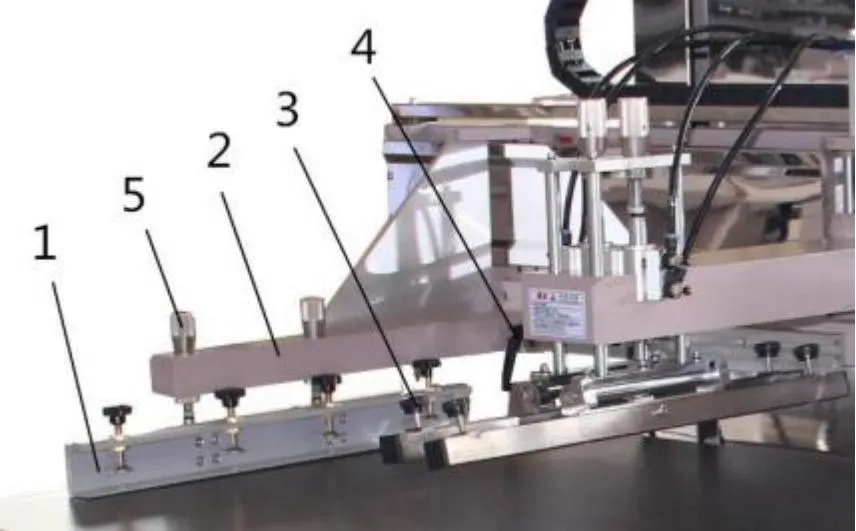
Scraper Adjustment: Ensure the scraper is parallel using balance screws. Scraper angle is generally 70-80 degrees, while ink reclaiming blade is 90 degrees.

Pressure Control: Use the pressure handles to adjust up/down movement according to screen requirements. Ensure cylinder stroke speed is uniform.
Stroke & Limit Switches
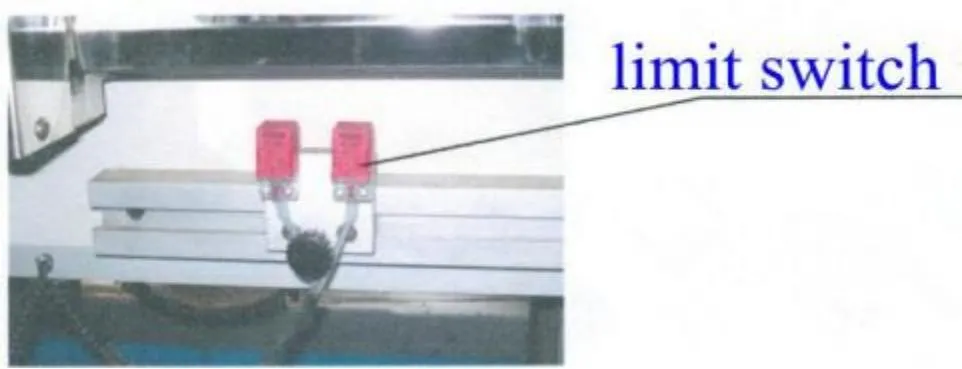
  • Adjust left/right limit switches based on image size.
  • Ensure switches do not physically hit the screen clamp.
  • Test movement slowly using the JOG mode.
Care & Maintenance

Daily: Power on 10 minutes before work for manual testing. Run empty for 5-10 minutes at low speed to lubricate motor and rails.

Lubrication: Use lithium grease on sliders weekly (do not exceed 1/3 capacity). Check for loose electrical connections weekly.

Monthly: Change reduction gear oil every 2-3 months and keep a maintenance log.
Frequently Asked Questions
Q1: What materials are compatible with this screen printing machine? The MTSP-10200 is designed for various flat materials, including paper, plastics, glass, ceramics, circuit boards, and non-woven fabrics.
Q2: What is the maximum printing area and substrate height? The maximum printing area is 1000*2000mm, and it can accommodate substrates with a height ranging from 0 to 30mm.
Q3: What are the power and gas source requirements? The machine requires a 380V Three-phase five-wire power supply and an air pressure source of 0.6-0.8 kg/cm² with a consumption of 0.03 m³/min.
Q4: How does the "Auto Suction" mode work? In Auto Suction mode, the platform automatically applies suction when the printing head moves down and stops suction when the head moves up, allowing the operator to easily swap materials.
Q5: What should I do in case of an emergency during operation? Immediately press the Emergency Stop Switch or the Brake switch to halt all machine movements and prevent injury or damage.
Q6: How often should the reduction gear oil be changed? Maintenance for the reduction gear requires an oil change every 2 to 3 months to ensure long-term, trouble-free operation.

Related Products