Printing machine performance rarely depends on speed alone. The real question is, what factors influence printing machine performance across daily production conditions? Substrate quality, ink viscosity, roller pressure, machine temperature, web tension, and registration accuracy all matter. A small change in paper moisture can create curling, smearing, or uneven color. Humidity matters. So does dust.
W. Edwards Deming, a respected manufacturing and quality-management expert, said, “Quality comes not from inspection, but from the improvement of the production process.” His principle applies directly to modern printing operations. Operators should monitor blanket condition, nozzle cleanliness, drying temperature, and color density throughout a run. Preventive maintenance also protects consistency. A neglected bearing may produce vibration before anyone notices a visible defect.
The following overview examines the top ten factors that influence printing machine performance. It considers machine calibration, operator experience, software settings, power stability, press speed, and material compatibility. It also explains how inspection routines and maintenance records support reliable output. These details are practical, not theoretical. They reflect what technicians see beside a press: ink buildup on a roller, a loose guide, or a control panel showing an unnoticed warning.
No checklist is perfect. Experienced teams still make mistakes. A setting that works for coated stock may fail on recycled paper. That is why performance should be measured over time, not judged from one successful batch. The goal is not simply faster printing. It is stable quality, fewer stoppages, safer decisions, and predictable production costs.
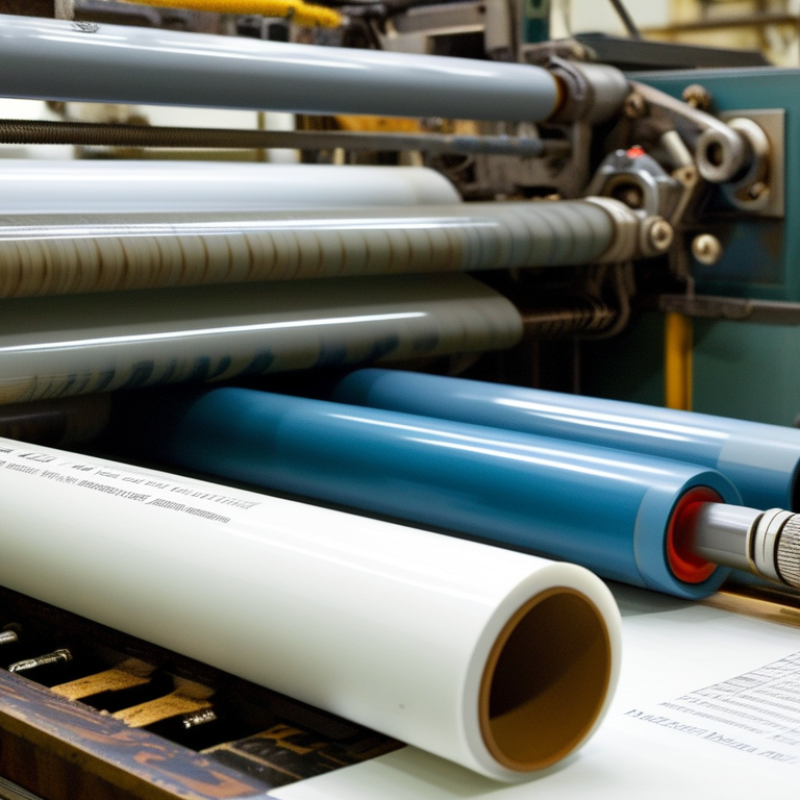
Printing speed is often the first number used to judge machine performance. Yet rated speed rarely equals useful output. Throughput measures finished, acceptable prints produced within a defined period. Speed looks impressive. Waste does not.
On a production floor, I record output per hour, setup time, stoppages, and rejected sheets. Roll changes, drying delays, and cleaning interruptions can reduce real throughput sharply. An operator may run faster, but poor registration or uneven ink coverage creates rework. Our early estimates were too optimistic. That mistake showed why stopwatch data matters more than a brochure figure.
Material behavior also controls performance. Thick stock may require slower feeding and longer drying time. Humidity can affect paper movement and registration stability. Regular maintenance supports consistent speed by protecting rollers, feeders, and drying systems. Small adjustments often help, such as aligning guides and checking tension before a long run. However, faster is not always better. A stable output rate usually protects quality, equipment life, and delivery schedules more effectively. Recording results under different workloads gives managers reliable evidence for setting practical production targets.
| No. | Performance Factor | Key Data Dimension | Typical Reference Range | Effect on Speed and Throughput | Practical Performance Indicator |
|---|---|---|---|---|---|
| 1 | Printing Speed | Line speed during production | Approximately 30–150 m/min, depending on process, substrate, and print quality | Sets the maximum theoretical output, but higher speed may increase defects, drying problems, or registration errors | Actual running speed compared with the machine’s rated speed |
| 2 | Usable Throughput | Good output per hour or shift | Typically 70–95% of theoretical capacity after waste and downtime | Provides a more realistic productivity measure than rated speed alone | Good sheets, meters, or pieces produced per hour |
| 3 | Substrate Compatibility | Material type, thickness, width, and surface condition | Common web widths range from approximately 300–1,600 mm; thickness varies by material | Poor material matching can require lower speed and cause feeding, curling, or smearing | Stable feeding with minimal jams, wrinkles, or web breaks |
| 4 | Drying or Curing Capacity | Drying temperature, air volume, energy, or curing dose | Must be sufficient for the selected ink, coating, substrate, and production speed | Insufficient drying limits speed and may cause blocking, offsetting, or poor finishing quality | Residual tack, rub resistance, and dryness at the machine exit |
| 5 | Make-Ready and Changeover Time | Time required for setup, cleaning, plate or tool changes, and approval | Approximately 10–60 minutes, depending on job complexity and automation | Long setup periods reduce available production time, especially for short runs | Average changeover minutes and setup waste per job |
| 6 | Registration Accuracy | Color-to-color and front-to-back alignment | Common target tolerance is approximately ±0.1–0.5 mm, depending on equipment and application | Unstable registration causes speed reductions, rework, and rejected material | Average registration deviation and percentage of sheets within tolerance |
| 7 | Machine Availability | Scheduled production time minus stoppages | Well-managed production environments often target 85–95% availability | Unexpected stops directly reduce hourly output and disrupt delivery schedules | Availability percentage, downtime hours, and mean time between failures |
| 8 | Waste and Reject Rate | Material lost during setup, running, cleaning, and quality rejection | Approximately 2–10% of input material, depending on job and process control | High waste lowers sellable throughput and increases material cost per finished unit | Waste percentage and first-pass acceptance rate |
| 9 | Ink, Coating, and Consumable Control | Viscosity, temperature, ink level, blanket or roller condition, and replenishment rate | Controlled within the process specification for each ink and substrate combination | Poor control can create color variation, foaming, clogging, and frequent stops | Color density variation, viscosity readings, and consumable-related stoppages |
| 10 | Operator Skill and Process Monitoring | Adjustment accuracy, response time, inspection frequency, and adherence to procedures | Performance varies significantly with training, standardization, and real-time monitoring | Skilled control reduces setup time, defects, speed fluctuations, and unnecessary downtime | Overall equipment effectiveness, defect rate, and average time to correct process deviations |
: A rigid frame reduces vibration and helps maintain accurate registration during high-speed production. Balanced rollers also protect image alignment. Poor thermal control can distort substrates and increase waste.
Precision bearings, sealed guides, durable drives, and consistent electrical assemblies reduce backlash and unexpected stoppages. Protection against dust, ink mist, heat, and cleaning chemicals also matters.
Modular access allows faster inspection, cleaning, and component replacement. Clear adjustment points reduce setup confusion. Easy access can shorten downtime.
Not completely. A machine may print well for one hour but struggle after months of production. Review service records, vibration levels, registration drift, and parts availability.
Skilled operators notice registration drift before waste becomes obvious. They also adjust ink viscosity, impression pressure, and substrate tension more carefully. Hands-on coaching remains important.
Verify plate alignment, roller pressure, drying temperature, and web tension. Use calibrated gauges instead of visual judgment alone. Keep detailed setup records.
Daily cleaning removes residue from sensors, rollers, and cooling paths. Weekly inspections can reveal unusual wear or vibration. Listen carefully. A completed checklist can still miss a bearing problem.
Temperature changes can alter ink viscosity, paper moisture, and drying speed. Humidity can affect static electricity, feeding accuracy, and registration. Stable storage conditions help protect substrate consistency.
Automation improves repeatability through automatic setup, tension control, and registration checks. However, sensors may misread dust as a process change. Operators should inspect samples and confirm readings with calibrated tools.
Record temperature, humidity, substrate lot, machine settings, and alarm history for major runs. Control charts can reveal drift before defects become obvious. Change one setting at a time.
Understanding what factors influence printing machine performance is essential for achieving consistent quality, high productivity, and lower operating costs. Printing speed and throughput are the most visible measures, but they depend on more than the machine’s rated capacity. A strong machine design, durable construction, reliable components, and accurate motion systems help maintain stable output over long production periods. At the same time, ink condition, paper quality, material compatibility, moisture, and surface characteristics can significantly affect color accuracy, registration, drying, and overall print results.
Operator skill and setup accuracy also play a major role in performance. Correct adjustments, timely troubleshooting, and routine maintenance can prevent defects and reduce downtime. In addition, a stable working environment, including suitable temperature and humidity, supports predictable operation. Automation and process control systems further improve consistency by monitoring production conditions, reducing manual errors, and enabling fast corrections. Together, these factors determine how efficiently a printing machine performs and how reliably it delivers high-quality results.

 Fusion Digital Print