How to Troubleshoot Common Printing Defects Efficiently?

Time:2026-06-01 Author:Amelia
0%

Printing defects can lead to significant challenges in the industry. Experts like John Smith, a renowned printing technician, highlight the importance of understanding these issues. He once stated, "Identifying the root cause of printing flaws is crucial for efficiency."

In the world of printing, knowing how to troubleshoot printing defects is essential. Many professionals face common issues like smudging, color inconsistencies, and misalignment. These problems can arise from various sources, including equipment malfunctions and improper settings. It's vital for technicians to delve deeper and recognize patterns in their work.

Combining technical expertise with hands-on experience can improve troubleshooting skills. Learning from past mistakes can lead to better practices. Each defect presents an opportunity to refine processes and enhance quality. The printing industry thrives on precision, and addressing defects effectively is the key to maintaining high standards.
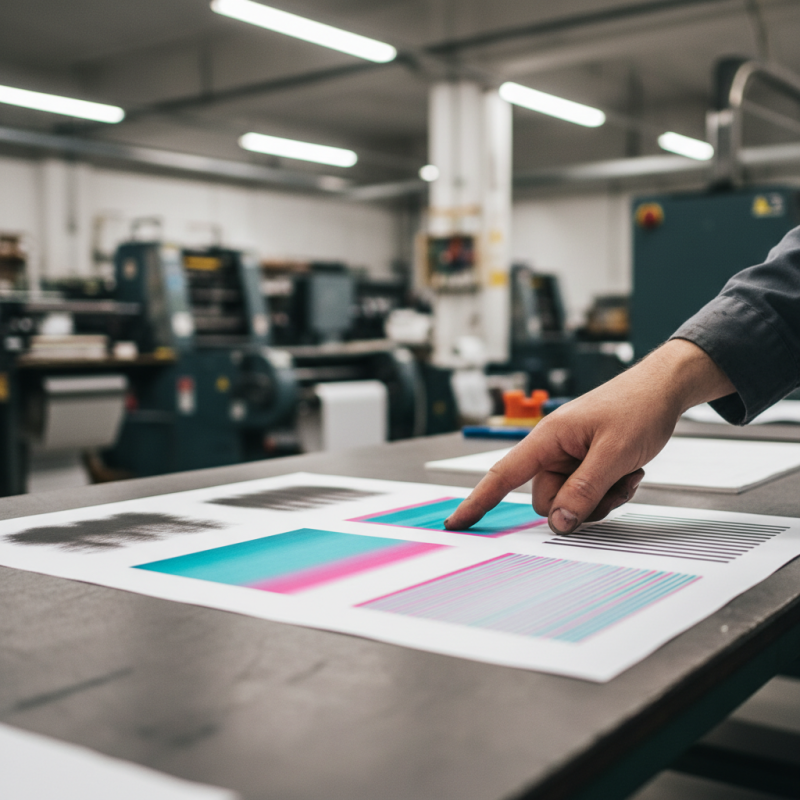
How to Troubleshoot Common Printing Defects Efficiently?

Common Printing Defects: An Overview of Key Issues in the Industry

In the printing industry, common defects pose challenges for many professionals. Issues like streaking, color mismatches, and paper jams frequently disrupt workflow. Streaking, for instance, often results from inadequate ink supply or dirty print heads. It can lead to significant delays and increased costs, pushing teams to troubleshoot quickly.

Color mismatches often arise from calibration errors or incorrect settings. A simple adjustment in the printer's profile might solve the issue. However, relying solely on settings can overlook the importance of maintenance. Dust accumulation in printers is often underestimated but can severely impact output quality. Regular cleaning routines can minimize these risks.

Paper jams may seem like mechanical issues, but they often indicate deeper problems. Mismatched paper types or improper loading techniques can exacerbate these jams, leading to frustration. Industry professionals sometimes ignore these nuances, which can result in recurring issues. Addressing these details is vital for a smoother printing experience.

Identifying Printing Defects: Visual Inspection and Testing Techniques

Identifying printing defects is essential for maintaining quality. Visual inspection plays a crucial role. Look for smudges, missing colors, or streaks. Each defect tells a story about potential issues with the printer or supplies. A close examination of the printed material can reveal underlying problems. Use a magnifying glass to spot fine details that are not visible to the naked eye.

Testing techniques add another layer to diagnosing issues. Running a test print can highlight defects quickly. Check the margins and alignment. Measure the ink density across different colors. This method can uncover inconsistent ink flow. Sometimes, results may surprise you. Unexpected patterns might appear, leading to a deeper inquiry.

Don’t overlook the environment. Humidity and temperature can impact print quality. Ensure that your workspace is stable. Regular check-ups are vital. Each step taken improves understanding and reliability in the printing process. A proactive approach minimizes defects and enhances overall output.

How to Troubleshoot Common Printing Defects Efficiently?

Defect Type Description Causes Solutions
Smudging Ink or toner smudges on the printed page. Improper handling, moisture in paper, or low-quality ink. Use high-quality paper, store paper in a dry place, and handle prints carefully.
Striations Visible lines or streaks on the printed page. Clogged print head or low ink levels. Perform print head cleaning and replace low ink cartridges.
Ghosting Faint images or text that is echoed on the page. Residual ink or toner on the drum. Clean or replace the drum unit.
Paper Jams Paper gets stuck in the printer. Incorrect paper type or overloaded paper tray. Use correct paper and avoid overloading the tray.

Effectiveness of Calibration: Reducing Ink Misalignment and Color Issues

Calibration plays a vital role in ensuring quality prints. Misaligned colors can frustrate users and lead to costly waste. By investing time in regular calibration, you enhance your printing efficiency and accuracy. This process aligns inks accurately, preventing color discrepancies that affect the final output.

Tips for effective calibration:

  • Always refer to the printer’s user manual for specific calibration instructions.
  • Use a color calibration tool for precise adjustments.
  • Check output regularly to identify any recurring issues early on.
  • Don't hesitate to reassess your calibration if you notice inconsistencies.

While calibration seems straightforward, common pitfalls exist. Many overlook environmental factors, like humidity and temperature, which can impact ink behavior. It’s essential to create a stable printing environment. Testing various settings may reveal unique challenges your printer faces. Remember, regular calibration can significantly reduce problems, but it's not a one-size-fits-all solution.

Maintenance Practices: Importance of Regular Printer Servicing and Cleaning

Regular printer servicing and cleaning are vital for maintaining optimal performance. Neglecting these practices often leads to issues like paper jams and inconsistent print quality. Dust and debris can accumulate in the printer mechanisms, affecting its longevity. A clean printer operates smoothly and produces sharper images.

Scheduled maintenance can significantly reduce common printing defects. This involves checking the printer's components regularly. It's important to clear out any ink buildup or paper residues. These tasks may seem minor, but they prevent costly repairs in the future. Moreover, having a dedicated maintenance plan can enhance the printer's efficiency.

Many users overlook the importance of routine cleaning. They often wait until problems arise, which can lead to frustration. Addressing concerns early is crucial. Simple actions, like cleaning the print heads or replacing dirty rollers, can prevent significant downtime. Regular maintenance requires discipline but pays off in improved reliability and print quality.

Data-Driven Solutions: Utilizing Analytics to Track Printing Performance

When dealing with printing defects, data analytics can be a game changer. By tracking the performance of your printing processes, you gain insights into where problems may arise. For example, monitoring print speed, ink consumption, and paper quality helps identify trends. This approach allows for timely troubleshooting, minimizing downtime.

Understanding the data can highlight patterns in defects. It may reveal that certain materials consistently result in issues. Often, organizations overlook the importance of regular audits. A simple review can uncover inefficiencies that lead to costly defects. By addressing these root causes, you can enhance the overall printing process.

Data-driven solutions foster a proactive approach. Analyzing historical data helps teams anticipate potential problems before they escalate. Regular performance reviews using analytics lead to informed decisions. While challenges remain, such as the need for staff training, the benefits of utilizing analytics far outweigh the drawbacks. Harnessing technology enhances reliability and boosts overall productivity.

Common Printing Defects Analysis

This chart illustrates the frequency of common printing defects observed over the last quarter, categorized by type and percentage occurrence. Analyzing these defects helps in implementing effective troubleshooting and improving overall printing performance.

FAQS

: What are common printing defects to look for?

: Look for smudges, missing colors, and streaks. Each defect indicates a potential issue with your printer.

How can visual inspection help in identifying defects?

Close examination of printed materials can reveal hidden problems. Use a magnifying glass for finer details.

What is a quick method to diagnose printing issues?

Running a test print can quickly highlight defects. Check margins, alignment, and consistency of ink density.

How does the environment affect print quality?

Humidity and temperature can impact print quality. Ensure your workspace is stable for optimal results.

Why is calibration important for printing?

Calibration reduces misalignment and color issues, improving overall print quality. It’s essential for uniform results.

What tools can assist in effective calibration?

Use a color calibration tool for accurate adjustments. Always refer to the user manual for specific instructions.

What common mistakes occur during calibration?

Many overlook environmental factors like humidity. These can significantly affect ink behavior and print quality.

How often should I check calibration?

Regular checks are vital for consistent quality. Reassess calibration if you notice any recurring inconsistencies.

Can unexpected patterns in prints indicate a problem?

Yes, surprising patterns may lead to deeper inquiries about ink flow and printer settings.

Is there a one-size-fits-all solution for calibration?

No, calibration requires tailored adjustments. Testing various settings can uncover unique challenges your printer faces.

Conclusion

In the quest to understand how to troubleshoot printing defects, it's essential to recognize the common issues plaguing the industry. This includes a comprehensive overview of critical problems such as ink misalignment, color discrepancies, and other printing faults that can affect output quality. Effective identification of these defects can be achieved through visual inspections and various testing techniques, enabling operators to swiftly pinpoint underlying issues.

Calibration plays a crucial role in reducing printing complications, particularly concerning ink application and color accuracy. Regular maintenance practices are vital, ensuring that printers are serviced and cleaned to prevent common failures. Additionally, embracing data-driven solutions and analytics can significantly enhance tracking of printing performance, allowing for proactive adjustments and interventions. Overall, adopting these strategies can greatly improve the efficiency of troubleshooting printing defects, leading to superior print results.

Amelia

Amelia

Amelia is a seasoned marketing professional with a wealth of expertise in our company’s core offerings. With an unwavering passion for driving growth and innovation, she plays a pivotal role in shaping our marketing strategies and enhancing brand visibility. A key aspect of her responsibilities......