Digital printing has revolutionized the way we produce images and text. However, many users face a concerning issue: "why does digital printing quality decrease over time"? This question highlights a common challenge that can affect both businesses and consumers alike. Over time, printed materials may show signs of fading or deterioration. Factors such as ink quality, paper type, and environmental conditions play a significant role.
Understanding the reasons behind this decline in quality is crucial. Many people overlook the impact of regular maintenance and the choice of printing materials. For instance, using low-quality inks or papers can lead to poor results. Additionally, exposure to sunlight or humidity can accelerate the degradation process. Users might find themselves frustrated as they see their vibrant prints become dull and unappealing.
Implementing best practices is essential to mitigate these issues. Regularly cleaning printing heads can preserve print quality. Opting for archival-grade inks can also yield longer-lasting results. By addressing the root causes, users can maintain the integrity of their digital prints and maximize their lifespan.
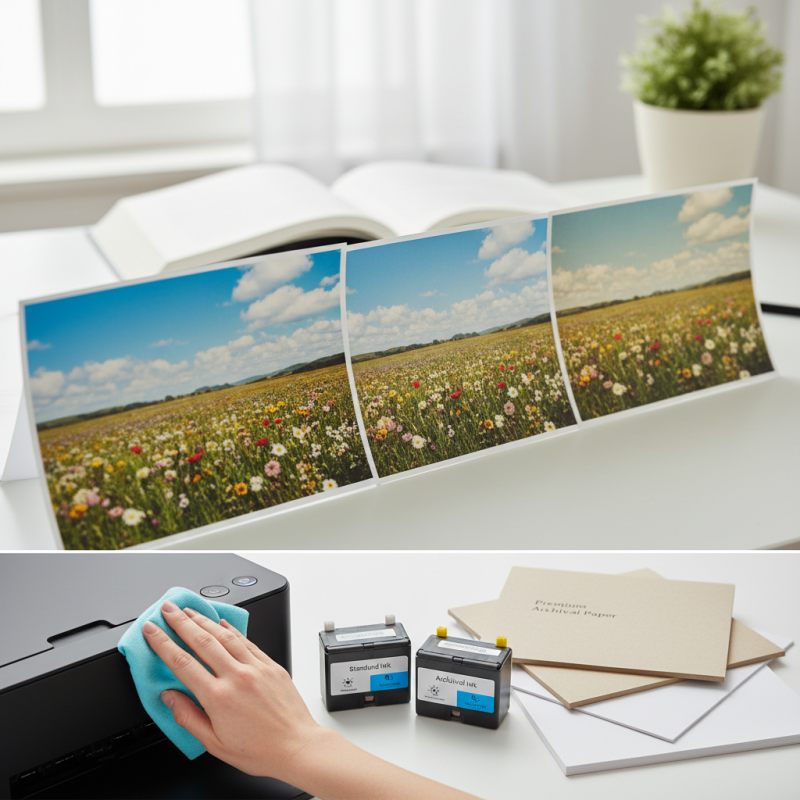
Digital printing quality can decline over time due to several critical factors. One major issue is the wear and tear of printing equipment. A 2022 report from the Printing Industries of America indicated that around 70% of print businesses experience quality degradation as their printers age. Dust accumulation and lack of maintenance can lead to color inconsistencies and loss of sharpness. Regular cleaning schedules and timely part replacements can help mitigate this decline.
Another important factor is the type of ink and media used. As ink dries or expires, its chemical composition changes. This alteration affects vibrancy and adhesion. Research from the International Journal of Printing Technology shows that using expired ink can cause an up to 40% loss in color quality. Selecting compatible ink and ensuring proper storage can make a significant difference.
Environmental elements also play a significant role. Humidity, temperature, and light exposure can impact printed materials. A study by the Graphic Arts Technical Foundation revealed that prints exposed to high humidity levels could lose over 30% of their color fidelity within a year. Controlling the environment where prints are displayed or stored can extend the lifespan and quality of digital prints. Adapting to these factors can help maintain the quality of digital printing over time.
Digital printing often experiences a decline in quality over time due to several common issues. One major factor is ink saturation. If the ink is too dense, it can cause smudging or uneven colors. This detracts from the sharpness of images and text. Printer heads may also become clogged over time, leading to streaks. Regular maintenance is crucial but often neglected.
Another significant issue is paper quality. Using low-grade paper can absorb ink unevenly, affecting the colors. Different paper types have unique coatings. If the wrong paper is used, the results can disappoint. Environmental factors like humidity and temperature also impact print quality. High humidity can cause paper warping, while extreme heat can dry out ink prematurely.
In addition, printer settings often need adjustment with changing materials. What worked well at first may not yield the same results later. Users frequently forget to calibrate their printers as needed. Each print job might require a new approach to achieve optimal quality. Knowing these challenges is the first step toward better maintenance and improved prints.
Printer maintenance plays a crucial role in sustaining print quality over time. Regular cleaning can prevent ink buildup, which affects color vibrancy. Dust and debris can also settle on print heads, leading to uneven prints. Keeping the printer clean is essential for optimal performance.
Using the right paper type significantly impacts overall quality. If the paper is not compatible, prints can look faded or blurry. It’s important to test different papers to find the best match for your printer. Inconsistent settings can also contribute to poor results. Users must regularly check print settings to ensure they align with the intended output.
Ignoring these elements can lead to frustration. Over time, even minor neglect can manifest in lower print quality. Evaluating print results periodically may reveal patterns that suggest maintenance issues. Observing these changes can guide actions to improve quality, ensuring the results remain impressive.
Digital printing offers vibrant colors and sharp details, but quality can diminish over time. Factors like UV exposure, humidity, and improper storage contribute to this issue. To protect the integrity of your prints, it’s vital to implement effective preservation strategies.
One effective solution is to store prints in a controlled environment. Keep prints away from direct sunlight and in a room with stable humidity levels. Using archival-quality materials for storage can also mitigate deterioration. These materials resist aging and prevent the prints from fading.
**Tips**: Regularly check prints for signs of damage. Look for fading or discoloration and address issues promptly. For display purposes, consider using UV-filtering glass. This simple step can significantly enhance print longevity.
Another strategy involves proper handling techniques. Always wear gloves when touching prints to prevent oils from fingers causing degradation. Be careful when framing; uneven pressure can lead to creases or warping. Reflecting on your storage habits can lead to more effective preservation.
**Tips**: Avoid stacking prints directly on top of each other. This can cause scratches and damage. Use interleaving sheets for added protection. Taking these precautions helps maintain digital print quality over time.
This bar chart illustrates the decline in print quality over time, measured in months and years. As shown, the quality starts at a high score of 90 after one month but decreases significantly over time, reaching a score of only 50 after two years. Effective solutions are essential for maintaining high digital print quality.
Maintaining optimal digital printing performance requires attention to several key factors. Regular cleaning and calibration of printers can significantly enhance print quality. According to industry reports, improper maintenance can decrease print resolution by up to 30%. Dust and debris accumulation affects image sharpness. Scheduling routine maintenance reduces the likelihood of these issues.
Using high-quality inks and substrates is crucial. A study reveals that poor-quality materials can result in color fading and poor adhesion. Color vibrancy may drop by 25% if inferior supplies are used. Keep an eye on ink levels and replace them timely to avoid inconsistencies.
Environment plays a vital role too. Humidity and temperature fluctuations can wreak havoc on digital printing equipment. Aim for a stable environment, ideally between 20-22 degrees Celsius. This helps maintain ink viscosity and print sharpness. Neglecting environmental conditions could lead to fluctuating print results. Regular monitoring contributes to maintaining print integrity and quality over time.
| Factor | Impact on Quality | Recommended Solution |
|---|---|---|
| Ink Quality | May result in fading or discoloration over time | Use high-quality, archival inks |
| Print Head Condition | Leads to clogged nozzles and streaks | Regular cleaning and maintenance of print heads |
| Media Type | Compatibility issues can cause blurring | Select media compatible with printer specifications |
| Environmental Factors | Humidity and temperature can affect ink adhesion | Control temperature and humidity levels in print environment |
| Printer Calibration | Incorrect settings can lead to color mismatch | Regularly calibrate the printer for color accuracy |
: Wear and tear of equipment is a major factor. Regular cleaning and maintenance are essential to mitigate degradation.
Expired ink changes chemically, leading to less vibrancy and poor adhesion. Fresh ink is essential for best results.
Humidity, temperature, and light exposure can degrade print quality. Stable conditions help preserve color fidelity over time.
Low-grade paper absorbs ink unevenly. Using the wrong type can lead to disappointing color results and image quality.
Neglecting maintenance can reduce resolution by up to 30%. Regular cleaning and calibration are crucial for optimal prints.
Check ink levels and printer settings; recalibrate if needed. Sometimes, adjusting paper type can also resolve issues.
Yes, high humidity can cause color loss and paper warping. Controlling humidity is key to maintaining print integrity.
Poor-quality ink may fade quickly and result in color vibrancy dropping by 25%. Always invest in quality supplies.
Regular cleaning schedules should be established. Monthly maintenance can significantly enhance image sharpness and print quality.
No, settings may need adjustment based on materials. Each print job might require specific tweaks for optimal results.
Digital printing quality can deteriorate over time for several reasons, and understanding these factors is crucial for maintaining optimal performance. One common question is, "why does digital printing quality decrease over time?" This can be attributed to issues such as ink degradation, dust accumulation, and improper printer calibration. Regular maintenance plays a significant role in prolonging print quality; neglecting it can lead to more pronounced declines.
To combat this issue, effective solutions include routine cleaning, timely replacement of consumables, and adherence to best practices for storage and handling of printed materials. By implementing these strategies, print businesses can preserve the integrity and longevity of their digital prints, ensuring that output remains vibrant and accurate throughout its lifecycle.

Fusion Digital Print