7 Best Ways Automation Is Changing the Printing Industry

Time:2026-10-15 Author:Madeline
0%

The printing industry is moving beyond ink, paper, and mechanical speed. Today, automated prepress systems inspect files, production software schedules jobs, and smart presses adjust color during a live run. These changes explain how automation is changing the printing industry across commercial print, packaging, labels, and publishing.

Benny Landa, founder of Indigo and a major digital-printing pioneer, once said, “Everything that can be digitized will be digitized.” His statement now reaches far beyond digital presses. Automated workflows can reduce repetitive data entry, detect registration errors, predict maintenance needs, and personalize thousands of pages without slowing production. A touchscreen dashboard may show ink density, paper waste, and machine temperature in seconds. That visibility gives operators better control.

But automation is not magic. Machines still depend on accurate files, trained staff, and responsible decisions. A poorly calibrated sensor can repeat a mistake faster than a human can notice it. That uncomfortable detail matters. Efficiency should not replace judgment.

The seven approaches explored in this article show where automation creates practical value. They include intelligent prepress, robotic material handling, automated quality inspection, workflow integration, predictive maintenance, variable-data production, and resource monitoring. Each method can save time and improve consistency. Results still vary by equipment, workforce, and job complexity.

The strongest printers will not simply remove people from production. They will combine skilled judgment with reliable technology. That balance may define the industry’s next chapter.
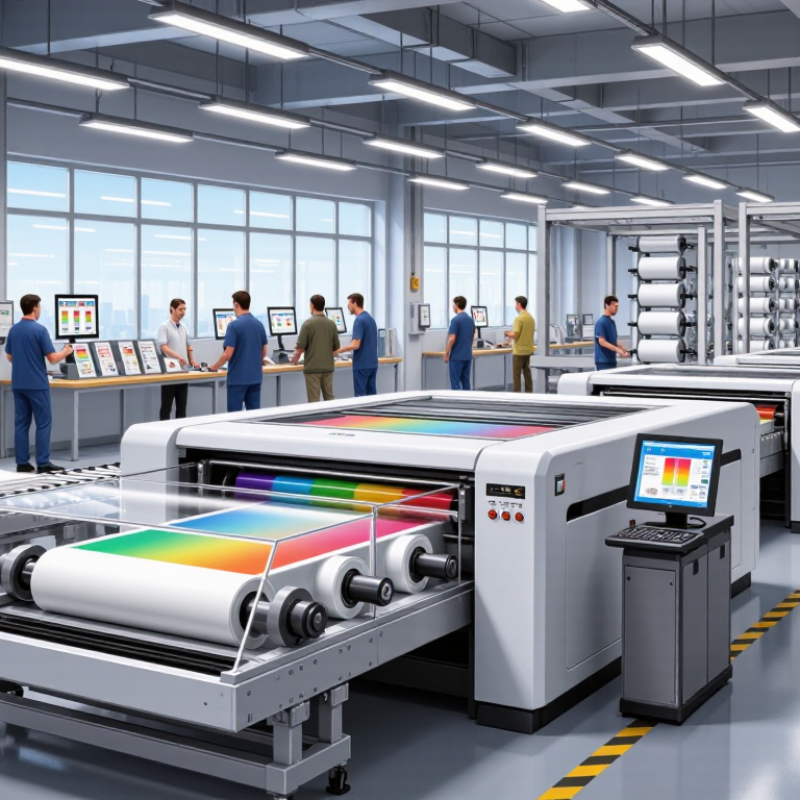
7 Best Ways Automation Is Changing the Printing Industry

Automation in Prepress: Streamlining File Preparation and Proofing

Automation in prepress is changing how print files move from design to production. Software can now inspect PDFs, detect missing fonts, and flag low-resolution images within seconds. It also checks trim lines, bleed areas, color spaces, and page dimensions. These checks reduce repetitive manual work and catch errors before plates or digital presses are prepared.

In a typical workflow, an operator uploads a file to a monitored folder. The system applies preset rules and creates a technical report. Simple corrections, such as adding bleed or converting unsuitable colors, may happen automatically. Proofing also becomes faster. Teams can compare revised files, review page previews, and approve changes through a shared digital record. A clear audit trail helps production staff trace who approved each version.

Human judgment still matters. Automation may misread a transparent object or overlook a subtle brand-color shift. It can also approve a technically correct file that feels visually unbalanced. That is a real limitation. Experienced prepress specialists should inspect complex layouts, unusual substrates, and color-critical projects. Small test prints remain useful, especially when paper texture changes the final appearance. Reliable automation supports skilled decisions; it should not quietly replace them.

Robotic Printing Systems: Improving Speed, Accuracy, and Production Consistency

Robotic printing systems are reshaping the press floor through faster handling, tighter registration, and repeatable production. Robots can load substrates, move printed sheets, and remove finished stacks without long pauses. A gripper can place each sheet within a controlled position, reducing manual variation. This matters during short runs, where setup time can exceed actual printing time.

The International Federation of Robotics reported 541,302 industrial robots installed worldwide in 2023. Printing is only one application, but the figure shows how automation is becoming operationally normal. Smithers’ 2024 digital printing research also identifies automation and workflow integration as major drivers of future print growth. In practice, connected inspection cameras can detect color drift, scratches, and registration errors during production. Operators then adjust settings before hundreds of defective sheets accumulate.

Speed is only part of the benefit. Consistency matters more.

Still, robotic systems are not flawless. A warped board, weak suction, or poorly calibrated sensor can stop an entire line. Human oversight remains necessary, especially when materials change between jobs. Automation may also expose weak production planning rather than solve it. A fast robot cannot repair unclear specifications or inconsistent files. Printers should measure waste, changeover time, stoppages, and rework before investing. Those figures reveal whether automation improves the real workflow or merely adds expensive machinery.

7 Best Ways Automation Is Changing the Printing Industry - Robotic Printing Systems: Improving Speed, Accuracy, and Production Consistency

Typical operational effects reported for automated and robotic printing workflows compared with predominantly manual production methods

Automation Application Measured Dimension Predominantly Manual Workflow Automated Workflow Typical Change Production Benefit
1. Robotic material handling Loading and unloading cycle time Approximately 8–20 seconds per handling cycle Approximately 2–8 seconds per handling cycle 50–75% shorter Reduces idle press time and keeps substrates moving at a more consistent pace.
2. Automated job setup Changeover duration Approximately 30–90 minutes, depending on job complexity Approximately 10–30 minutes with stored recipes and automated adjustments 40–70% shorter Allows more short-run jobs to be completed during the same production shift.
3. Closed-loop registration control Typical print-to-substrate registration error Approximately ±0.5–1.5 mm Approximately ±0.1–0.3 mm under controlled conditions Up to 80% lower variation Improves alignment across colors, sides, die-cut marks, and finishing references.
4. Inline quality inspection Production inspected Sample-based inspection, commonly 1–10% of output Up to 100% of output inspected in real time Full-stream inspection Detects streaks, missing print, color shifts, misregistration, and surface defects earlier.
5. Automated reject and rework handling Setup and process waste Approximately 2–8% of job output Approximately 0.5–2% when process controls are properly calibrated 50–75% less waste Separates defective sheets or parts consistently and reduces material loss during production.
6. Predictive monitoring and workflow control Overall equipment effectiveness (OEE) Commonly 55–70% in less automated operations Commonly 70–85% in well-controlled automated operations 10–25 percentage-point gain Combines higher availability, faster performance, and fewer quality losses in one operating measure.
7. Safer ergonomic automation Manual lifting and repetitive handling exposure Frequent lifting, stacking, feeding, and repetitive reaching Most repetitive transfer tasks assigned to robotic equipment Substantial exposure reduction Reduces ergonomic strain and allows operators to focus on supervision, maintenance, and quality decisions.
Data note: The figures are representative operating ranges compiled from published manufacturing-automation benchmarks, printing-process studies, and industrial safety guidance. Actual results vary with substrate, ink or coating system, job size, equipment configuration, operator skill, maintenance quality, and environmental conditions.

Smart Materials Handling: Automating Loading, Storage, and Finishing

Smart materials handling is reshaping how print facilities manage daily production. Automated loading systems can lift paper rolls, boards, and finished stacks with consistent pressure. Sensors detect weight, position, and surface damage before materials enter the workflow. This reduces repetitive lifting and helps operators avoid costly loading errors. The shift is visible.

In storage areas, automated carts and guided shelves track material locations in real time. Workers can request a specific roll, while the system selects stock by size, age, or production order. Better tracking limits unnecessary movement and reduces exposure to dust and humidity. Still, automation is not flawless. Sensors may misread warped boards, especially when storage conditions change quickly. Human inspection remains necessary.

Finishing benefits from automated cutting, folding, binding, and stacking equipment. A connected workflow can move printed sheets between stations with fewer manual handoffs. Operators gain clearer production data and can adjust settings before defects multiply. Small details matter, such as aligned corners, dry ink, and stable pile height. In practice, the best results come from combining machine precision with experienced judgment. Over-automation can create new delays when staff lack training or maintenance time.

Connected Print Management: Using Data to Optimize Workflows and Maintenance

Connected print management is changing how print teams control daily production. A shared dashboard collects job status, machine readings, supply levels, and service history. In a mid-sized print room, operators can see a press slowing down before missed deadlines become obvious. That visibility helps managers schedule maintenance during quieter hours. Less guesswork matters.

When a printer reports rising temperature or repeated paper jams, connected software can flag the pattern. The system may compare current readings with earlier jobs and suggest an inspection. Maintenance becomes planned. Yet automation is not magic. Dust, paper changes, or incorrect sensor readings can create misleading alerts. I have seen teams trust dashboards too quickly, then overlook an experienced operator’s warning. Human judgment still matters, especially when production conditions change suddenly.

Reliable workflows use clear data rules and regular reviews. Teams should check whether alerts were accurate, whether downtime actually decreased, and whether operators received useful guidance. Access controls protect production records, while audit trails show who changed schedules or settings. This supports accountability without slowing routine work. The strongest systems also connect maintenance data with job planning, so a large order is not assigned to equipment already showing stress. Small adjustments, measured weekly, can reduce wasted paper, rushed repairs, and avoidable overtime.

Workforce Transformation: Building Skills for an Automated Printing Industry

Automation is changing printing jobs from repetitive machine operation to technical decision-making. Operators now monitor dashboards, adjust production settings, and investigate quality alerts. A skilled worker may correct color drift before it affects hundreds of sheets. That requires practical knowledge, not button pressing.

Training must combine classroom lessons with supervised work on the production floor. Staff should learn data reading, preventive maintenance, digital file preparation, and basic cybersecurity. Short sessions work well beside a running press. A trainer can show how a sensor detects paper misalignment, then let employees fix the issue safely. Cross-training also helps teams respond when one specialist is absent. Mistakes still happen.

Our early training plans often focused too heavily on software menus. Workers could follow instructions but struggled when conditions changed. A better approach uses realistic scenarios, such as sudden material variation or an unexpected color mismatch. Employees explain their decisions, record the result, and review the outcome with a supervisor. This builds confidence and creates evidence for improving procedures.

Experienced technicians remain essential during automation projects. They understand machine sounds, material behavior, and customer requirements that systems may overlook. Managers should measure training through fewer stoppages, faster recovery, and consistent quality. Employee feedback matters too. Some workers may fear replacement, while others need more time with unfamiliar tools. Honest communication and paid learning hours can make the transition more credible. Small gaps remain visible, especially when automated recommendations conflict with human judgment.

7 Best Ways Automation Is Changing the Printing Industry

Workforce Transformation: Building Skills for an Automated Printing Industry

U.S. employment projections show declining demand in several traditional printing occupations, while automation increases the importance of equipment maintenance, digital production, workflow monitoring, and process-control skills. These figures describe projected occupational employment change and should not be interpreted as automation alone causing every change.

Source: U.S. Bureau of Labor Statistics, Occupational Outlook Handbook and Employment Projections, 2023–2033.

FAQS

How does automation inspect prepress files?

It checks PDFs for missing fonts, low-resolution images, trim lines, bleed, color spaces, and page sizes. Errors appear quickly.

Can automated prepress systems fix files automatically?

Some systems add bleed or convert unsuitable colors using preset rules. These corrections are useful, but they may change the intended design.

How does digital proofing improve approval?

Teams can compare revisions, view page previews, and approve files through a shared record. An audit trail shows who approved each version.

Why is human review still necessary?

Software may misunderstand transparency, subtle color shifts, or unusual layouts. A technically correct file can still look visually unbalanced.

How do robotic printing systems improve production?

Robots load substrates, move sheets, and remove finished stacks with repeatable positioning. This reduces pauses and manual variation.

What can inspection cameras detect during printing?

Connected cameras can identify color drift, scratches, and registration errors during production. Operators can adjust settings before defects multiply.

What problems can stop an automated press line?

Warped boards, weak suction, and poorly calibrated sensors can interrupt production. Machines are not flawless.

How does smart materials handling support print facilities?

Sensors track weight, position, and surface damage before materials enter production. Automated carts can locate rolls by size, age, or job order.

Can automation solve poor production planning?

No. A fast robot cannot repair unclear specifications or inconsistent files. Measure waste, stoppages, changeover time, and rework before investing.

Conclusion

Automation is reshaping the printing industry by making production faster, more accurate, and easier to manage. In prepress, automated tools can prepare files, detect potential errors, and support faster proofing before printing begins. Robotic printing systems improve registration, consistency, and production speed, while smart materials handling automates loading, storage, movement, and finishing tasks. Together, these improvements reduce delays, minimize waste, and help print businesses maintain reliable quality across different projects.

Another important example of how automation is changing the printing industry is the use of connected print management systems. By collecting and analyzing production data, these systems can optimize workflows, identify maintenance needs, and reduce unexpected downtime. Automation is also transforming the workforce rather than simply replacing it, creating demand for skills in digital operations, equipment monitoring, data analysis, and process improvement. As technology develops, successful print organizations will combine intelligent systems with well-trained employees to build safer, more flexible, and more efficient production environments.

Madeline

Madeline

Madeline is a dedicated marketing professional with a wealth of expertise in our company's core offerings. With a keen understanding of the industry, she brings a unique perspective to her role, consistently delivering high-quality content that highlights the superior aspects of our products. As......